
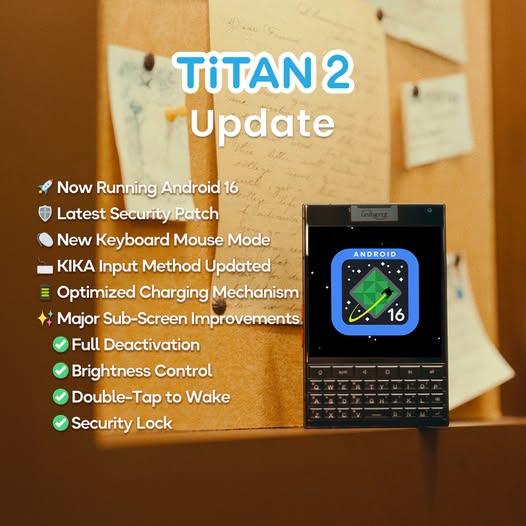
Great news for Unihertz fans and rugged-phone enthusiasts in South Africa — the Titan 2 has just received a major software upgrade to Android 16! 🎉 This new update brings a host of improvements designed to enhance performance, security, and usability for users who rely on their devices in demanding environments.
What’s New in Android 16 for Titan 2
The Android 16 update delivers a significant boost to your phone’s capabilities, including:
🔹 Official Android 16 platform upgrade – keeping your device on the latest modern OS.
🔹 Updated security patch (to 2025-12-05) – helping protect your data with the latest protections.
🔹 SubScreen enhancements – improved controls, brightness adjustment, double-tap-to-wake support, and optional deactivation features.
🔹 Touchpad mouse mode support – giving you greater flexibility when using the keyboard.
🔹 Customizable shortcut keys – assign functions like Shift, Alt, Back, and Recent for faster workflow.
🔹 Vibration mode switching and other quality-of-life tweaks that make everyday use smoother.
🔹 Optimized charging behaviour – automatic slow-charge above 80 % to help prolong battery health.
These enhancements don’t just improve performance — they also refine the Titan 2’s unique blend of productivity, ruggedness, and long-term reliability.
How to Get the Android 16 Update
Updating your Titan 2 is easy! Simply go to:
Settings → About Phone → System Update
Then check for the latest update and follow the on-screen prompts to install. As with any major system update, it’s a good idea to back up your important data (e.g., to your Google account or cloud storage) before proceeding.
⚠️ Avoid unofficial flashing tools or ROMs. Using these can erase important data and may void warranty support.
Why This Matters for South African Users
For professionals who depend on their phone for work in mining, construction, logistics, security, public service, or outdoor sectors, having the latest Android version matters. Security patches, optimised interfaces, and productivity features like mouse mode and shortcut keys make every task faster and safer — especially when days are long and conditions are tough.
If you haven’t already updated your Titan 2, now is a great time to check for Android 16 and take advantage of all the upgrades!



